Der Beitrag zeigt eine WordPress-Stilvariante für Featured Images, die bei unterschiedlichen Seitenverhältnissen einen weichgezeichneten Hintergrund erzeugt. So bleibt das Bild vollständig sichtbar, ohne abgeschnitten zu werden.
Die Umsetzung kombiniert einen Block-Style, einen Render-Filter in PHP und ergänzendes CSS. Padding wird in CSS-Variablen überführt, das Bild wird auf contain gesetzt, und die Lösung wird als erste funktionsfähige Rohfassung beschrieben.
Nicht jedes Projekt hat Beitragsbilder im exakt gleichen Format. In einem Projekt war’s besonders störend, da hatte jedes einzelne Bild ein anderes Seitenverhältnis. Man sollte aber dennoch jedes Bild im Loop „ganz“ sehen, nicht abgeschnitten. Die Idee, einfach jedes Bild mittig in ein Groupelement mit Hintergrund zu setzen sollte das Problem abfangen. Doch so richtig überzeugend sah das nicht aus. Dann erinnerte ich mich, mal einen digitalen Bilderrahmen gesehen zu haben, in dem das Verhältnis-Problem so gelöst worden war, dass vom verfügbaren Format abweichende Bilder auf einer blurred Version ihrer selbst dargestellt worden waren.
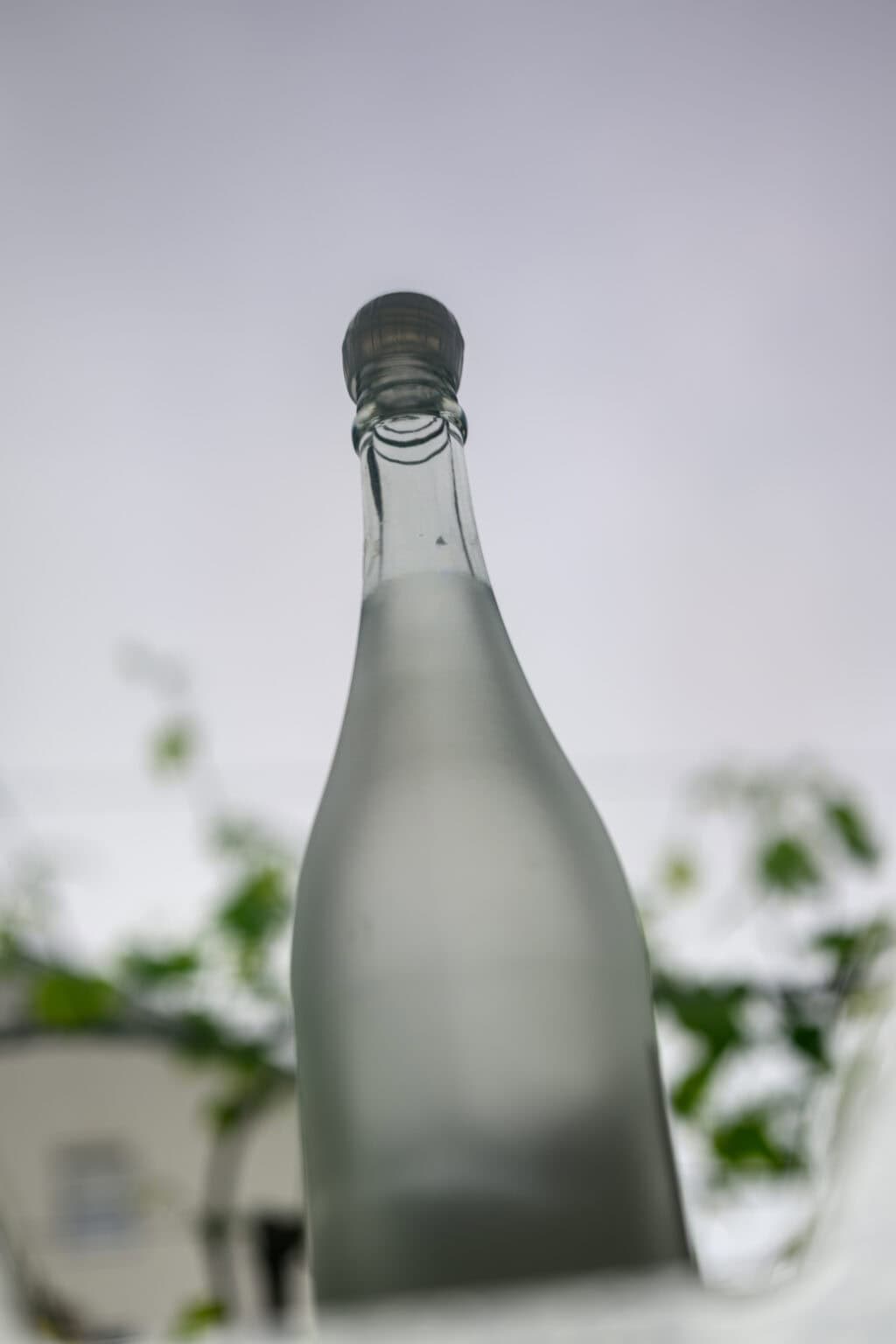
Hier kommt ein Beispiel für ein hochkantiges Bild.
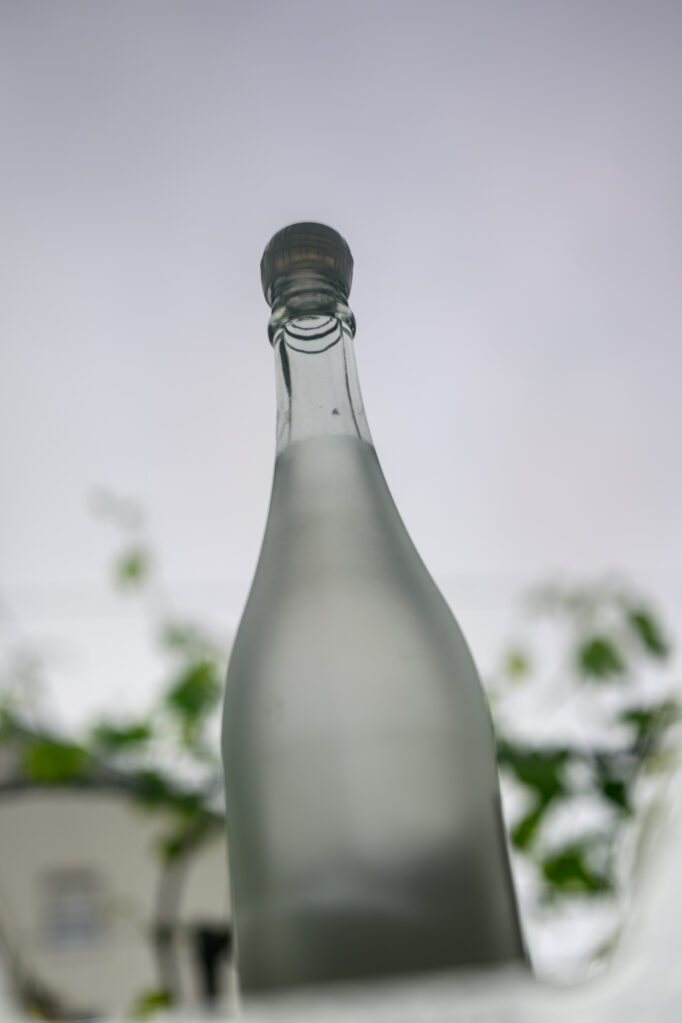
Aussehen soll das Bild wie folgt.
Um das zu erreichen, erweiterte ich mein Theme um eine Stilvariante „Blur backdrop“.
	register_block_style(
		'core/post-featured-image',
		array(
			'name'  => 'blur-backdrop',
			'label' => __( 'Blur backdrop', 'webentwicklerin' ),
		)
	);
Das Rendering läuft über einen Filter: render_block_core/post-featured-image → webentwicklerin_featured_image_blur_backdrop
Wenn is-style-blur-backdrop nicht im HTML vorkommt passiert nichts. Es gibt drei Hilfsfunktionen, alle nur für diesen Stil:
webentwicklerin_featured_image_blur_backdrop_parse_padding — Padding vom <figure> auf CSS-Variablen
webentwicklerin_featured_image_blur_backdrop_inset_properties — baut --featured-image-inset-*
webentwicklerin_featured_image_blur_backdrop_fit_image — erzwingt object-fit: contain am <img>
Standard-Featured-Images ohne diesen Block-Stil bleiben wie bisher.
/**
 * Featured image block helpers.
 *
 * @package webentwicklerin
 * @since   2.0.0
 */

add_filter( 'render_block_core/post-featured-image', 'webentwicklerin_featured_image_blur_backdrop', 10, 2 );

/**
 * Pass the featured image URL to CSS and inject an isolated blur layer for the blur-backdrop style.
 *
 * No effect on featured images without the blur-backdrop block style.
 *
 * @since 2.0.0
 *
 * @param string $block_content Rendered block HTML.
 * @param array  $block         Block data.
 * @return string
 */
function webentwicklerin_featured_image_blur_backdrop( $block_content, $block ) {
	if ( false === strpos( $block_content, 'is-style-blur-backdrop' ) ) {
		return $block_content;
	}

	if ( ! preg_match( '/<img\b[^>]*\bsrc=(["\'])([^"\']+)\1/', $block_content, $matches ) ) {
		return $block_content;
	}

	$custom_property = sprintf( "--featured-image-url: url('%s');", esc_url( $matches[2] ) );

	$block_content = preg_replace_callback(
		'/<figure\b([^>]*)>/',
		function ( $figure_matches ) use ( $custom_property ) {
			$attributes = $figure_matches[1];

			if ( preg_match( '/\sstyle=(["\'])([^"\']*)\1/', $attributes, $style_matches ) ) {
				$quote           = $style_matches[1];
				$padding_parsed  = webentwicklerin_featured_image_blur_backdrop_parse_padding( $style_matches[2] );
				$inset_property  = webentwicklerin_featured_image_blur_backdrop_inset_properties( $padding_parsed['insets'] );
				$new_styles      = trim( $padding_parsed['styles'], '; ' );
				$new_styles      = '' !== $new_styles ? $new_styles . ';' : '';
				$new_styles     .= $inset_property . $custom_property;
				$attributes      = preg_replace(
					'/\sstyle=(["\'])[^"\']*\1/',
					' style=' . $quote . esc_attr( $new_styles ) . $quote,
					$attributes,
					1
				);
			} else {
				$inset_property  = webentwicklerin_featured_image_blur_backdrop_inset_properties(
					array(
						'top'    => '0',
						'right'  => '0',
						'bottom' => '0',
						'left'   => '0',
					)
				);
				$attributes     .= ' style="' . esc_attr( $inset_property . $custom_property ) . '"';
			}

			return '<figure' . $attributes . '>';
		},
		$block_content,
		1
	);

	$block_content = preg_replace(
		'/(<figure\b[^>]*>)/',
		'$1<span class="featured-image-blur-backdrop" aria-hidden="true"></span>',
		$block_content,
		1
	);

	return webentwicklerin_featured_image_blur_backdrop_fit_image( $block_content );
}

/**
 * Parse padding from inline styles and remove it from the figure element.
 *
 * Padding is moved to CSS custom properties so the blur layer fills the full frame
 * while block padding only insets the sharp image.
 *
 * @since 2.0.0
 *
 * @param string $styles Inline style attribute value.
 * @return array {
 *     @type array  $insets Side values for top, right, bottom, left.
 *     @type string $styles Remaining inline styles without padding.
 * }
 */
function webentwicklerin_featured_image_blur_backdrop_parse_padding( $styles ) {
	$insets = array(
		'top'    => '0',
		'right'  => '0',
		'bottom' => '0',
		'left'   => '0',
	);

	foreach ( array_keys( $insets ) as $side ) {
		$pattern = '/\bpadding-' . $side . '\s*:\s*([^;]+)/i';

		if ( preg_match( $pattern, $styles, $matches ) ) {
			$insets[ $side ] = trim( $matches[1] );
			$styles          = preg_replace( $pattern, '', $styles );
		}
	}

	if ( preg_match( '/\bpadding\s*:\s*([^;]+)/i', $styles, $matches ) ) {
		$parts = preg_split( '/\s+/', trim( $matches[1] ) );
		$count = count( $parts );

		if ( 1 === $count ) {
			$insets = array(
				'top'    => $parts[0],
				'right'  => $parts[0],
				'bottom' => $parts[0],
				'left'   => $parts[0],
			);
		} elseif ( 2 === $count ) {
			$insets = array(
				'top'    => $parts[0],
				'right'  => $parts[1],
				'bottom' => $parts[0],
				'left'   => $parts[1],
			);
		} elseif ( 3 === $count ) {
			$insets = array(
				'top'    => $parts[0],
				'right'  => $parts[1],
				'bottom' => $parts[2],
				'left'   => $parts[1],
			);
		} elseif ( 4 === $count ) {
			$insets = array(
				'top'    => $parts[0],
				'right'  => $parts[1],
				'bottom' => $parts[2],
				'left'   => $parts[3],
			);
		}

		$styles = preg_replace( '/\bpadding\s*:[^;]+;?/i', '', $styles );
	}

	$styles = trim( preg_replace( '/;+/', ';', $styles ), '; ' );

	return array(
		'insets' => $insets,
		'styles' => $styles,
	);
}

/**
 * Build CSS custom properties for image inset from block padding values.
 *
 * @since 2.0.0
 *
 * @param array $insets Padding values keyed by side.
 * @return string
 */
function webentwicklerin_featured_image_blur_backdrop_inset_properties( $insets ) {
	return sprintf(
		'--featured-image-inset-top:%1$s;--featured-image-inset-right:%2$s;--featured-image-inset-bottom:%3$s;--featured-image-inset-left:%4$s;',
		$insets['top'],
		$insets['right'],
		$insets['bottom'],
		$insets['left']
	);
}

/**
 * Fit the sharp image inside the figure frame at its natural proportions.
 *
 * WordPress already uses width/height 100% with object-fit when aspect ratio is set.
 * For blur-backdrop we always force contain so the figure frame defines the box.
 *
 * @since 2.0.0
 *
 * @param string $block_content Rendered block HTML.
 * @return string
 */
function webentwicklerin_featured_image_blur_backdrop_fit_image( $block_content ) {
	$fit_styles = 'width:100%;height:100%;object-fit:contain';

	return preg_replace_callback(
		'/<img\b([^>]*)\/?>/',
		static function ( $matches ) use ( $fit_styles ) {
			$attributes = $matches[1];

			if ( preg_match( '/\sstyle=(["\'])([^"\']*)\1/', $attributes, $style_matches ) ) {
				$styles = $style_matches[2];

				$styles = preg_replace( '/\bwidth\s*:\s*[^;]+;?/i', '', $styles );
				$styles = preg_replace( '/\bheight\s*:\s*[^;]+;?/i', '', $styles );
				$styles = preg_replace( '/\bobject-fit\s*:[^;]+;?/i', '', $styles );
				$styles = preg_replace( '/\baspect-ratio\s*:[^;]+;?/i', '', $styles );
				$styles = trim( $styles, '; ' );

				if ( '' !== $styles ) {
					$fit_styles = $styles . ';' . $fit_styles;
				}

				$attributes = preg_replace(
					'/\sstyle=(["\'])[^"\']*\1/',
					' style="' . esc_attr( $fit_styles ) . '"',
					$attributes,
					1
				);
			} else {
				$attributes .= ' style="' . esc_attr( $fit_styles ) . '"';
			}

			return '<img' . $attributes . '>';
		},
		$block_content,
		1
	);
}
CSS für Blur Backdrops
/* Blur-backdrop block style only (.is-style-blur-backdrop on Post Featured Image) */

.wp-block-post-featured-image.is-style-blur-backdrop {
  position: relative;
  isolation: isolate;
  overflow: hidden;
  box-sizing: border-box;
  display: grid;
  width: 100%;
  max-width: 100%;
  min-width: 0;
  line-height: 0;
  --featured-image-blur: 15px;
}

.wp-block-post-featured-image.is-style-blur-backdrop::before {
  content: "";
  grid-area: 1 / 1;
  width: 100%;
  aspect-ratio: inherit;
  pointer-events: none;
}

.wp-block-post-featured-image.is-style-blur-backdrop .featured-image-blur-backdrop,
.wp-block-post-featured-image.is-style-blur-backdrop::after,
.wp-block-post-featured-image.is-style-blur-backdrop > a,
.wp-block-post-featured-image.is-style-blur-backdrop > img {
  grid-area: 1 / 1;
  min-width: 0;
  min-height: 0;
  width: 100%;
  height: 100%;
}

.wp-block-post-featured-image.is-style-blur-backdrop .featured-image-blur-backdrop {
  z-index: 0;
  box-sizing: border-box;
  background-image: var(--featured-image-url);
  background-size: cover;
  background-position: center;
  transform: scale(1.15);
  filter: blur(var(--featured-image-blur, 15px)) saturate(1.15);
  pointer-events: none;
}

.wp-block-post-featured-image.is-style-blur-backdrop::after {
  content: "";
  z-index: 0;
  box-sizing: border-box;
  background: rgba(0, 0, 0, 0.12);
  pointer-events: none;
}

.wp-block-post-featured-image.is-style-blur-backdrop > a {
  display: block !important;
  margin: 0 !important;
  width: 100%;
  height: 100%;
  max-width: 100%;
  text-decoration: none !important;
  overflow: hidden;
  box-sizing: border-box;
  z-index: 1;
  box-sizing: border-box;
  display: block !important;
  width: 100% !important;
  height: 100% !important;
  max-width: 100% !important;
  margin: 0 !important;
  padding-top: var(--featured-image-inset-top, 0);
  padding-right: var(--featured-image-inset-right, 0);
  padding-bottom: var(--featured-image-inset-bottom, 0);
  padding-left: var(--featured-image-inset-left, 0);
  line-height: 0;
  text-decoration: none !important;
  overflow: hidden;
}

.wp-block-post-featured-image.is-style-blur-backdrop > img {
  padding-top: var(--featured-image-inset-top, 0);
  padding-right: var(--featured-image-inset-right, 0);
  padding-bottom: var(--featured-image-inset-bottom, 0);
  padding-left: var(--featured-image-inset-left, 0);
}

.wp-block-post-featured-image.is-style-blur-backdrop img {
  position: relative;
  z-index: 1;
  box-sizing: border-box !important;
  display: block;
  width: 100% !important;
  height: 100% !important;
  margin: 0 !important;
  object-fit: contain !important;
  object-position: center center;
}
Das ist noch eine erste Rohfassung und benötigt vielleicht noch ein paar Anpassungen. Prinzipiell funktioniert sie.



Schreibe einen Kommentar